22.2 Security 🎯
This section includes an Activity 🎯
You've probably heard about tech companies who have had security breaches. For example, a hacker got access to all the Words With Friends account data from Zynga, including email addresses, encrypted passwords, phone numbers, and usernames for almost 200 million people—and that's not even close to being one of the biggest breaches of all time.
These kinds of attacks harm both the individuals affected and the companies involved. In other words, security should be on a product manager's mind all the time. In this checkpoint, you'll learn how to think about security in your products. What needs to be secured? How do you secure it? How can you keep your security up to date? And how do you handle security incidents when they happen?
By the end of this checkpoint, you should be able to do the following:
- Identify and prepare for potential security issues in technology products
What is security?
Security is the combination of tools, systems, and processes that make information accessible to only the entities that should have access to it. For example, if you're working for the API team at an insurance company, your main concerns are who is using your API, what data they're accessing, how you can ensure that only authorized people have access, and who they are sharing that data with.
In that definition of security above, entities is an important word. Security is not only about which people have access to that information. It's also about the other ways that information is available—how the data is stored, how it's available to other systems within your product, internal or external APIs, and any other factors. Each place where your product information is accessed can be a security risk. In the security lingo, this is called the attack surface of your product. The larger your attack surface is, the more you need to consider security in your product.
To create security, you need to do more than control access to your product. For example, you also need logging to track and audit your systems, so that you can make sure they're being used for only authorized purposes. If you're storing or sharing sensitive data, you need to ensure that it's secured both in flight (like when it's sent over the internet) and at rest (when it's stored in a file or database). The combination of these means and others of protecting your information is what security is all about.
Why does security matter?
It goes without saying that security matters, but understanding why it matters on a deeper level will affect the decisions you make as a PM. First, security is vital to a company because your users trust you to keep their private information private. Whether it's health records, credit card purchases, or what you search for online—all that data gets stored, transmitted, and processed by many systems. It's also potentially accessible by people at the companies involved. For all those cases, you need reliable, verifiable ways to ensure that data stays secure.
Second, when product security fails, it can create liability for your company and possibly you personally. You might be familiar with data breaches like the Zynga one mentioned earlier, but there are other ways security can fail that puts your users at risk. For example, insecure use of third-party services can expose your users' emails and passwords to those services. Or if someone is able to insert their own code on your web pages, you could be an unwitting accomplice in their crimes. If something like this happens, your company would likely get sued and face penalties from governments and regulatory bodies. And if you're responsible for this catastrophe in any way, your job and career could be at risk.
Third, security breaches can have serious implications for the people who were affected. If your credit card information gets stolen from a payments database, it will cause you endless headaches as you try to resurrect your credit. Or if your password gets stolen and you've used that same one across many sites, the thief now has access to all your accounts. Imagine if the CEO of a company had their password stolen, and then the thief starts sending out emails as the CEO to employees telling them they are fired. Yikes!
All of these security issues affect your company's reputation. It's much better for your company to be known for having great security practices than for it to be known for having security problems. Any kind of security issues could cause the downfall of your company, as disappointed or distrusting users flock to other services. Also, many new laws require companies to publicly disclose when security problems have occurred, so there's no way to brush such problems under the rug.
Common security risks
Below are a few examples of security issues that could impact your product:
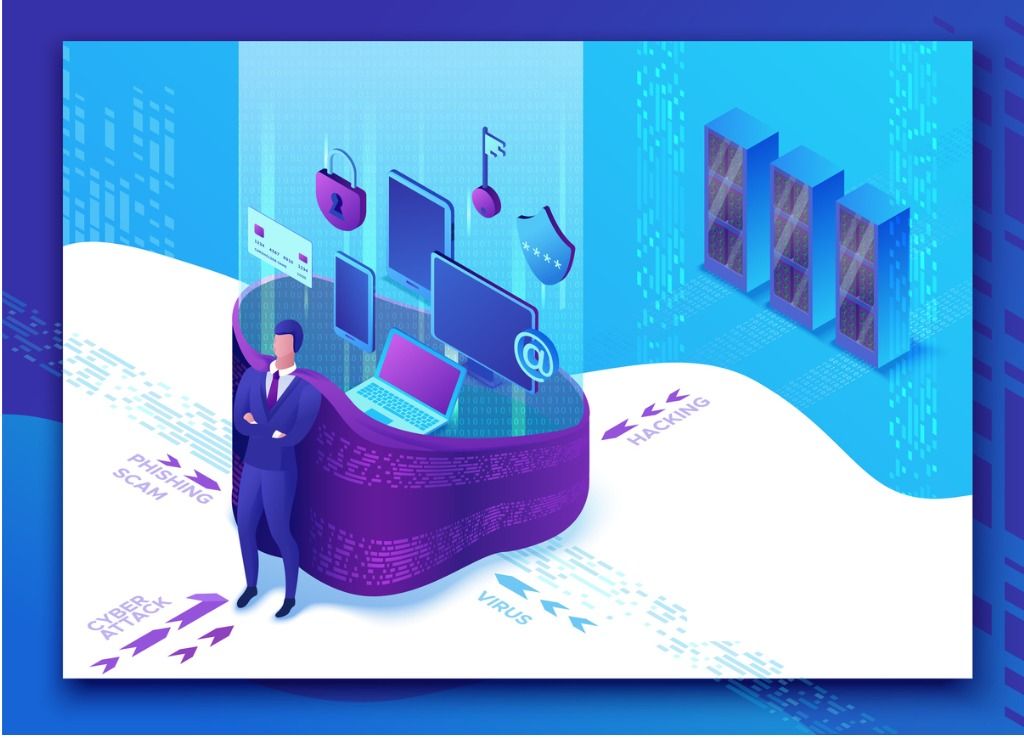
- Phishing. When malicious actors use fake emails and login pages that look like real pages from a site you use like Google or eBay. After you log in to the fake page, they can steal your username and password.
- Account hijacking. Because people reuse usernames and passwords, someone who steals your credentials for one product can likely get access to many other products using the same information. In other words, they can hijack your account and do all kinds of damage.
- Bugs. Bad actors can use bugs in operating systems, browsers, and apps to get access to private data in those systems. They can also use those bugs to plant viruses or extract data from those systems. For example, if your web product has a form that has a bug, a malicious hacker might be able to craft an input that can retrieve data directly from your database.
- Malware. Some pieces of software are written with bad intent and built to extract data, passwords, and other sensitive information. Viruses are a common form of this, and ransomware has been on the rise, which is a type of malware where your data gets encrypted and will be erased unless you pay a ransom to have it unlocked. Malware often looks like safe apps or files in order to convince you to open them. But as soon as you open them, the bad code takes over.
- Outdated services. At a certain point, products become obsolete and won't be updated any longer. As soon as those products or tools aren't supported (like Windows 7 and earlier versions), any new bugs will not be fixed, which means they can be trivially exploited. Big companies make these support dates public—for example, here's info about Windows products' end-of-life schedules—so that you can plan to upgrade prior to those dates.
- Social engineering. People can be manipulated to give bad people access to information or systems that they shouldn't be able to access. For example, a 15 year old was able to access the CIA director's and others' accounts by getting their phone and cable providers to divulge private info about them.
What needs securing?
Security can be broken down into three categories—access, action, and artifact security. To make these categories clear, imagine that you had a physical piece of paper containing important information that you wanted to secure. To do that, you would set up several layers of obstacles that any would-be thieves would need to overcome. First, you'd limit their access by setting up alarms and motion detectors around your home. Next, you'd keep this important piece of paper in a locked safe. And finally, you'd write the important, sensitive information down in a special way so that only you could decipher it (like writing it in reverse order or with each letter replaced by the next one in the alphabet). The same basic principles apply when securing technology products.
Access security means keeping people out of the places where they're not allowed. The most common form of access security are logins and passwords. Many products now use two-factor authentication, a process where you need an additional code from your email or text message to log in along with your password. It is a best practice in security to gain access based on three factors: "something you know, something you have, and something you are." You know your login and password. You have access to your phone or email. And your face or fingerprint is something you are. Relying on two or more of these three factors makes it highly likely that the person trying to access your systems is actually who they say they are.
Action security is about allowing people to only be able to access certain actions and parts of a product. For example, many B2B products provide very specific permissions for each user, such as the ability to read, write, edit, create, or delete data. So, a user might have permission to read and edit another user's contact information, but they will only be able to read the last four digits of their credit card and not edit or delete it. Action security ensures that the right people have the ability to do the right actions and only those actions.
Artifact security refers to the use of encryption, obfuscation, or other techniques to make valuable data useless to any bad actors who get their hands on it. For example, a product with good security practices will not store your raw password in the database. Instead, it will use cryptographic techniques to store something that lets the product verify your password but tells it nothing about what your password actually is. This way, even if someone were able to dump that company's database and get access to all the encoded passwords, those passwords would be completely useless.
When considering security, you need to think about all three of these aspects. Who can get access to sensitive information? What actions can they take if they get access to your product or service? And if they are able to get access to information that they're not allowed to see, how can you ensure that the data is useless?
Security in the product process
The best way to handle security in products is to make it part of your process. You can make security part of your product designs, test your product to ensure that it's secure, and monitor your security to ensure that it stays as secure as you expect it to be.
Designing for security
It's much easier to design your system with security in mind in the first place than it is to launch something and secure it later. Here are some questions you can ask to assess your security risk:
- What data is being stored (in files, databases, etc.)?
- Is any of that data being encrypted? If so, how? How are the keys stored?
- What are all of the access points to your system? Who has access to them? How is access controlled or restricted?
- Are other systems or products integrated with this product? If so, which systems and how are those protected? (If a bad actor gets access to one system, they can attempt to hop to other connected systems.)
Some companies require security reviews to ensure that you've considered all the possible ways your product could be attacked. If you work for a company that has formalized this process, you should follow their practices. If your company doesn't have security reviews in place, you should create your own processes to ensure that you've considered security up front.
Testing your security
Remember that list of common security risks from earlier in the checkpoint? It's a best practice to try to break into your own system using those common methods to see if your security measures hold. You can incorporate these tests into your automated testing of your product, or you can do one-off testing of these risks on a regular basis. Here are some methods you could try:
- Entering invalid inputs that can trigger bugs (which could lead to a breach)
- Ensuring that parts of your application that require specific permissions to access them are actually only accessible to the people/systems that are allowed to access them
- Checking that encrypted data really is encrypted
Security and hacking is a rapidly evolving area, so it's often best to hire consultants or firms who specialize in this kind of testing. If you work in a regulated industry like finance or health, external security audits are required for compliance. Check with your legal or security teams to understand your obligations.
Monitoring your security
Tech products run 24 hours a day and can be accessed by hundreds, thousands, or even millions of people. There's no way for a human to check every single access of every system within your product, so you need to create ways to automatically monitor the security of your product. Security monitoring is a specialized area with many products that can check different aspects of your system. These products have the following capabilities:
- Network monitoring to see if there's any unusual traffic going into or out of your sensitive systems
- Log monitoring to check the logs that your product creates and ensure that there are no unusual errors or messages created by your systems
- Access monitoring to check for people and systems trying to log in, read data, or access APIs that they're not supposed to
These systems can be expensive, but the visibility into your security is worth far more than the penalties you'll pay if your security measures fail.

Dealing with a security breach
Security breaches can happen to your product at any time, regardless of how much effort you put into security. If you have a security breach, you need to be prepared to respond.
The best way to handle a security breach is to prepare for it before it happens by making a response plan to cover the most likely ways that your product could be impacted. There are near infinite ways that your security could be broken, but a few are most likely or damaging, like a database dump of your users' information or unauthorized users getting access to the administrative controls for your product. Plan for these first.
In the case of a security breach, you should take the following actions:
- Stay calm. The damage is already done, so the most important thing you can do is to concentrate your effort and attention on preventing further problems. Other people on your team will mirror your calmness if you can appear confident managing this crisis.
- Contact the appropriate teams to let them know about the incident. For example, your legal and compliance teams might need to know about this so they can start the disclosure process. Other teams to include are your infrastructure teams, security, and risk teams. If your company doesn't have these specialized teams, try your marketing and executive teams.
- Keep your team focused on the immediate next step they need to complete. For example, if the breach was due to a misconfigured file server, the top priority is to secure that server. That might mean taking it offline until it can be secured, creating a patch in your software that's running on it, or something else. Do one thing at a time.
- Keep the right people up to date. You'll need to send out updates as you learn more about the problem and address it. When communicating, be as clear, concise, and complete as you can be.
- Assess the damage. With your dev team, try to identify exactly what was accessed, who accessed it, and how long they had access to it. If any sensitive data was compromised, what exactly was that data and why is it sensitive? If it was protected through encryption, did the attacker get access to the keys to unlock that data? Do this analysis after you've secured the breach.
And to reiterate, stay calm. It's the most important thing you can do for yourself and your team. This is a tough situation, but it's also an opportunity to demonstrate your leadership and management skills.
Best practices in security
This following list might not include everything you should do when securing your product, but it is full of good ideas to get you started as you consider and weigh your options.
- HTTPS everything. All the data in flight between your apps, servers, and third parties should be sent encrypted over HTTPS, which is secured HTTP. Any data that's sent unencrypted could be manipulated by a bad actor while it's in transit—what's known as a man in the middle attack—even if that data is being transmitted between two of your own servers on the same network. You also don't want to send any user-provided data like passwords or credit card numbers over an unsecured connection because they could be monitored by outsiders. HTTPS is highly resilient to these attacks, and it's not that hard to implement.
- Encrypt sensitive data at rest. If you're storing any data that would be especially damaging if it was stolen, it should be encrypted when stored and the keys should be kept separately from the encrypted data. This applies to data in your databases, files that you store, or any other info you store on hard drives, USB drives, or other forms of data storage.
- Reasonable password restrictions. You might have wondered about those weird password rules like making sure a password uses at least one number and special character, as well as both lowercase and capital letters. These are best practices for creating secure passwords. The most secure passwords are also long—15 or more characters—because longer passwords are harder to decrypt than short ones. You should require users to change their passwords every few months, and make sure they're not simply adding a 1 to the end of their last password. Reused passwords with small modifications are actually a huge risk since they're much easier to crack.
- Scrub inputs. Many security breaches in products are due to allowing bad data in forms and other inputs. For example, a poorly written app will accept and run SQL or javascript if that code is submitted in a form. Scrubbing inputs means that you check for malicious content in the text to ensure that there's no code hiding in there. Your developers should harden any parts of your code that handle user-submitted data to protect against this.
- Two-factor authentication. Don't only use a login and password. Make sure you add at least one other authentication method like SMS codes, authentication apps, email codes, or biometrics (fingerprint or face). By doing this, even if someone happens to steal your usernames and passwords, that information will be useless because an attacker will still need your phone to access the account.
- Keep tools and infrastructure up to date. Bugs are found in the programming languages, operating systems, and libraries your developers use all the time. Work with your tech teams to ensure that their tools are up to date, and find time to upgrade them when you can. If there are security notices for any of the tools you use, make sure to evaluate the risk with your team and make a decision about how to mitigate the risk.
- Log all access. If you work at a large company, they'll probably have preexisting methods for how you log access to the products you develop. At smaller companies, it will be your job to decide what needs to be logged and at what level of detail. Thorough logs can help you find and diagnose security problems if they occur.
- Perform audits. Many security companies exist that would be very happy to fully audit your development—the code you write, the tools you use, and your processes and systems. Some larger companies have dedicated audit teams, though it's a best practice to have external auditors do the evaluation due to potential conflicts of interest. It's a huge job to make sure your systems are up to date and secured, so trust experts over your own judgment.
Securing your products is hard work, but you are now better prepared for this essential PM skill. As you gain experience in a product role, these considerations will become second nature.
Activity 🎯
You work for a photo storage and sharing company like Instagram. For each of the features described below, make a list of all the potential security considerations that are involved:
- Letting a user change their email address without verifying it
- Having no minimum password requirements and users never being required to change their password
- Having very restrictive password requirements (such as passwords having 15 characters, including symbols, not containing dictionary words, etc.)
- Letting users post whatever content they want without you or your team reviewing that content
- Letting users send messages to each other without any restrictions on who they can contact
Write these answers in your Notion Page