10.2 A/B Testing 🎯
This section includes an Activity 🎯
As a PM, you will often be faced with making a change to a product without much clarity on how the change will affect the product. Worse, you may have several ideas for how to change your product while different people on your team are fighting for one option over another. How will you choose the best option?
Most organizations today value data-driven decision-making. In fact, data is often more important than opinions or other factors that might influence a team's or company's priorities. And typically, the best way to generate reliable data about a product is to enable real people to make real choices.
So, one solution to choosing between different options for your product is to test them out with your real users. You do this by running different versions of your product simultaneously to see which one performs best. This is called A/B testing and is sometimes also known as split testing. It is a common method used by many companies to try out new designs or features in a product. In this checkpoint, you'll learn more about A/B testing and how it is used to make product decisions.
By the end of this checkpoint, you should be able to do the following:
- Explain the purpose and structure of A/B tests
- Design an A/B test plan and consider all relevant information
What is an A/B test?
An A/B test can be thought of as a form of a randomized control trial. In a scientific study using a randomized control trial, test subjects are randomly assigned to either a treatment or a control group so that the results can be compared. If the difference between the groups reaches statistical significance, the treatment is deemed effective.
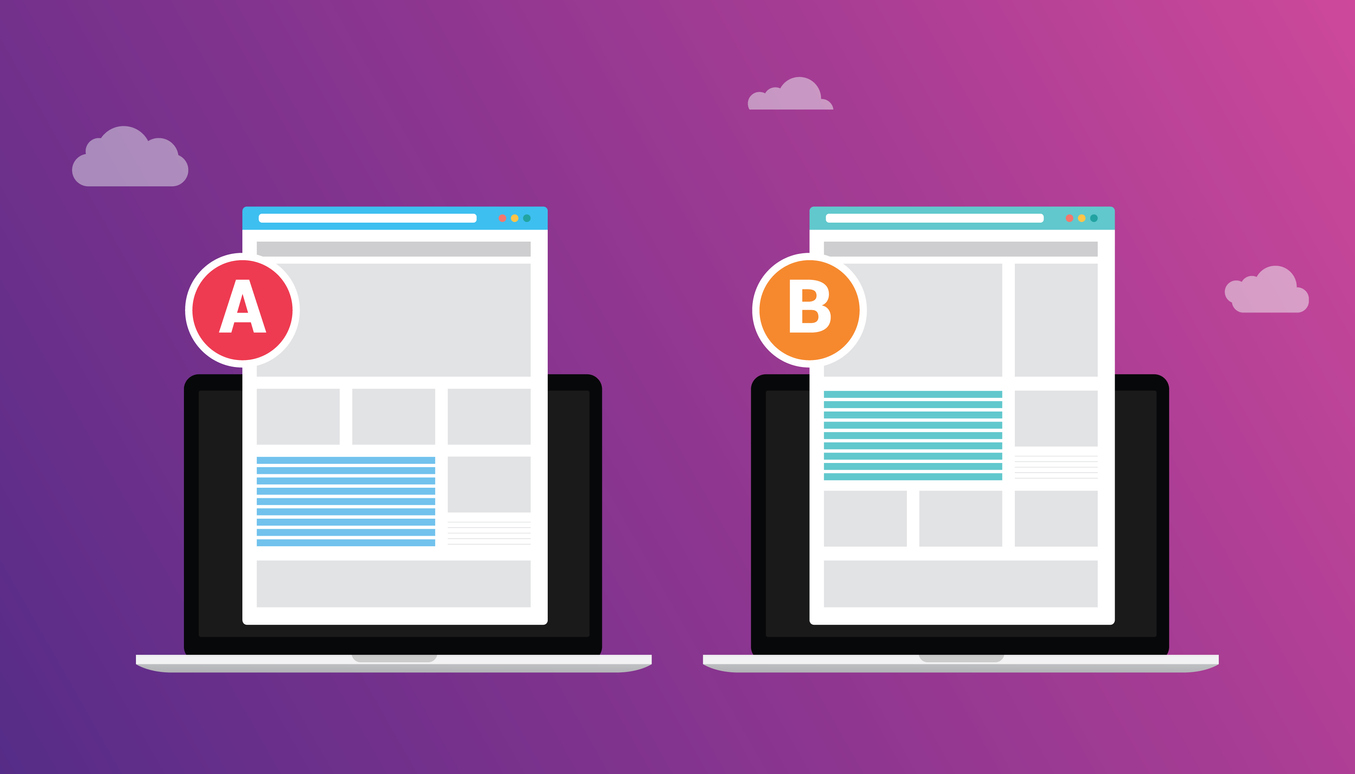
Similarly, if you are A/B testing two design options for a website's landing page, some of the users who reach the website will be automatically directed to the existing version of the page (option A), while others will be directed to view a new option (option B). This is the source of the name A/B test and its alternative term split testing; you are splitting your users among two or more options in order to compare them.
Users are unaware that there are two options for what the web page they are viewing looks like; all of this is happening behind the scenes. Having users encounter alternative experiences allows you to easily compare and judge the effectiveness of each design. For instance, if option B led to significantly higher conversion rates, you can be confident that it is a worthwhile change.
Watch this video by Exponent that explains A/B testing
You can test many things: interfaces, screen formats, labels, design choices, and more. In a famous instance of A/B testing, Google once tested over 40 shades of blue to decide which was the best choice for clickable links. The story behind the anecdote, according to this New York Times article, revolves around a design team choosing one shade of blue, while a product manager advocated for another. The PM's choice was a slightly greener shade of blue, which they had tested with users and found was more likely to get clicked on. Marissa Meyer, Google's vice president working on search products and user experience at the time, instructed her team to test the 41 shade gradations between the two competing blues. The results helped determine which exact shade encouraged the most clicks, leading to the blue link color now used in all Google products.

Why use an A/B Test?
Imagine that one of your KPIs is to increase sign-up rates for your product. After watching some users interact with the page in usability testing observations, some of your UX designers think that formatting the sign-up page differently might boost sign-up conversion rates. But it's still only a theory—you can't be sure.
To test the theory, you decide to perform an A/B test. Your team creates a revised page, with some distinct differences from the current version. Once the new page is created, you can work with your engineering team to guide website traffic. They can help direct half of your visitors to the original page, or page A, and half to the redesigned page, or page B. Visitors are assigned to these options randomly and are unaware that this is happening.
After some period of time, you check the sign-up results and see which page led to more new sign-ups. Maybe your redesign performed better, or maybe it performed worse. Or maybe the redesign and the original design produced a similar number of sign-ups! No matter the outcome, you now have hard data to inform your decisions before making any permanent changes.
The data may not tell you why one version in an A/B test performed better than another, but it will let you know which one worked better. If the differences are significant enough, that may be sufficient to get stakeholder buy-in and proceed with a change.
When should you A/B test?
You should use A/B testing when you need to validate design or user experience decisions, especially when there is debate over the best course of action. These tests let you look at the consequences of design decisions in a concrete way and reach decisions supported by quantitative results.
A/B tests should focus on isolated changes. If you see an increase in your conversion rate and the only change you made was to rewrite the on-screen instructions, you can be confident that the cause was the text page change. If you change several things at once—the text, the order some fields are presented, the location of important buttons, and the user interaction flow—you won't know which change drove your results. In fact, one change may have had a positive result, and another change might have had a negative result; you won't be able to tease that out when analyzing the new sign-up metrics.
A/B tests are also good when you need to make sure your decisions will not have a negative impact. For example, if you're testing a critical part of your conversion funnel, you can run an A/B test on 5% to 10% of your traffic. If your test leads to a negative result, it will only affect a small portion of your traffic (and revenue) for a short period of time. That's much safer than implementing a change to 100% of your visitors, and paying the price if it fails.

Planning an A/B test
There are a few items you need to consider and plan out in advance of running an A/B test.
Your hypothesis
At its most basic level, an A/B test is an experiment to show which option is the best solution to a particular question or problem. As in all experiments, you need to distill your question or problem, the potential solution, and the desired outcome into a hypothesis. That hypothesis should include the cause for, the effect of, and the reasons behind the experiment you want to run. Here is an example of one hypothesis: "If we update the home page to have clearer messaging and a clearer call to action, then we expect the conversion rate to increase at least 10% because users are unsure about what they're signing up for in the current version."
Measuring KPIs
You should have a clear idea of which KPIs or other metrics you are trying to move with your product changes. In particular, you should note the specific metrics that should change—and how much you would like them to change—to justify implementing the new design. You should also note any other metrics you want to track in case there are downwind consequences of your change. For example, you might expect your home page's conversion rate to increase 15% because of your changes, but there could be a negative impact on the next conversion rate in your funnel, so you better watch that metric as well.
Control versus variation
The control of your A/B test—the A version—is the version of your product that's already live—if there is such a version. Or perhaps you're trying something totally new, in which case, you may simply be testing the effectiveness of one design against another. Your variations—the B versions—are the experimental versions of the product that you're testing against that control version or against each other. Make sure you know exactly what's different in each variation so you can determine what specifically is responsible for the different results you see.
Effort to create the test
Testing your options to help you make informed decisions sounds great, but, unfortunately, you can't do it all the time. A/B testing is an investment—of your time, of designer and developer time, and of other resources. You need to think critically and determine whether the effort will be worth it, depending on what kind of return on investment (ROI) you can expect.
In general, the effort you spend launching your tests should match the improvement you expect to see. If you think the proposed change would have a big impact, a large investment may be justified. But sometimes the expected impact is too small, or the effort required is too great, to justify doing an A/B test. For instance, imagine you want to encourage more people to use search filtering on Google. To do this, you could change the background colors of those buttons—a pretty easy variation to test. But if you want to change how the search filters actually function, you'll need to do significantly more development work, write new algorithms, and redo some core functionality. And, in that case, it might not be feasible to make the change or run an A/B test because the metrics won't improve proportionally to the effort required.
As a product manager, you must always be mindful of the ROI of any effort. Spending ten dollars to generate one hundred dollars of value makes good sense. But if you need to spend eighty or ninety dollars to generate one hundred dollars of value, you might be better off spending those resources on another initiative that has a higher rate of return.
A/B testing platforms
While your engineering team could theoretically set up the split of users into viewing different options, most companies would rather pay for A/B testing software than spend the expense and time for their developers to create it. Many tools are available that offer to host and randomize users' experiences for you. Some of these include Optimizely, Google Optimize (a split-testing function of Google Analytics), or Adobe Target.
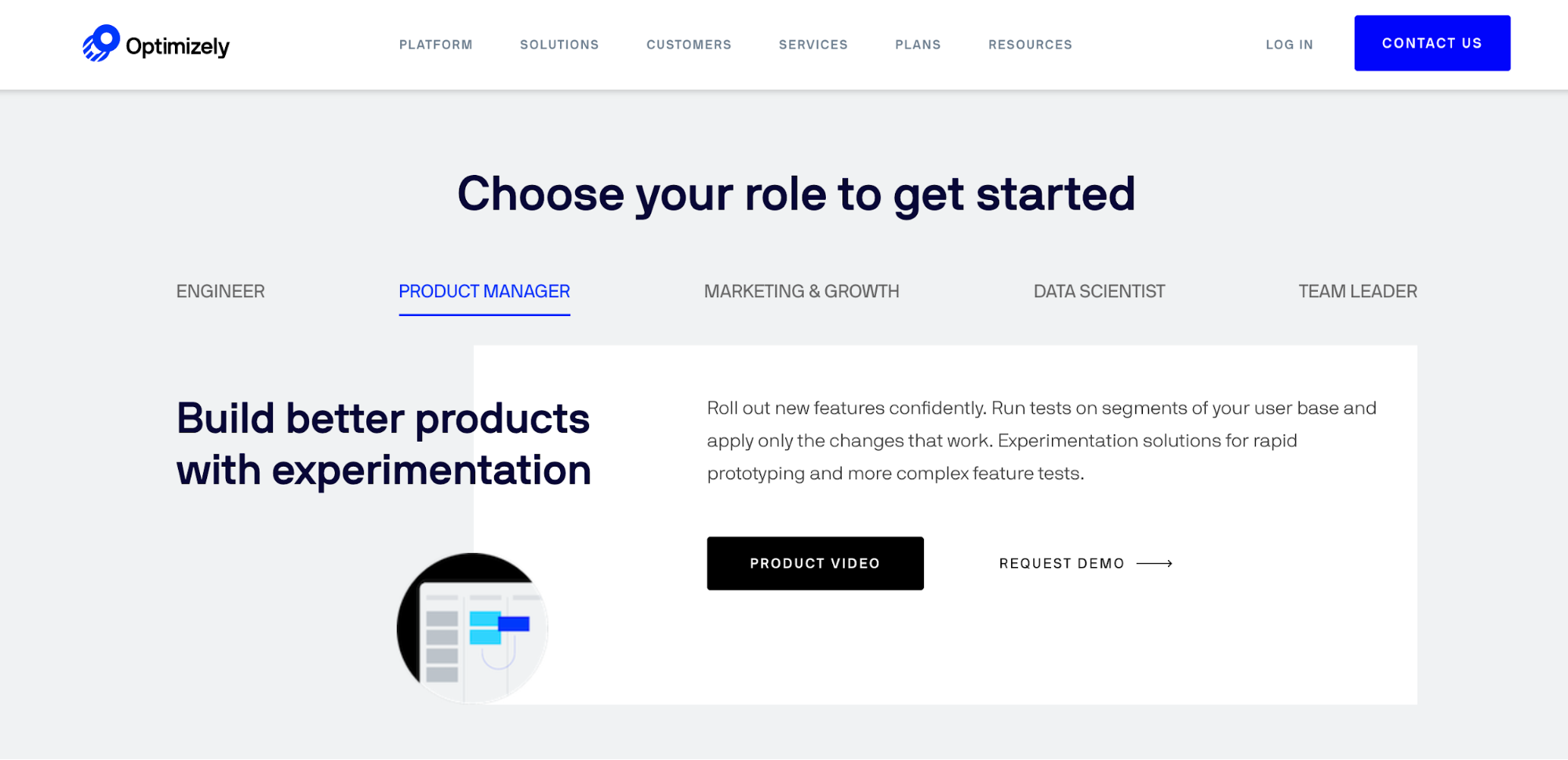
Image source: Optimizely's homepage invites product managers to explore.
What can you A/B test?
Depending on the type of web application or software you are working on, you may decide to test different features, flows, or functions. Here are some common design items to A/B test.
Screen layout and workflow
Many websites are not organized or structured optimally, which offers you the opportunity to shake things up. For example, a call to action on a mobile website (the part that invites a user to take action, such as "sign-up here") may only be visible after scrolling down below the fold. Moving up the call to action could improve your conversion rate because users don't have to go looking for it. Another layout example is the number of pages to use for a complex, multi-field workflow. Are you better off putting all the fields on one screen? Or should you break up the information over two or three sequential screens? Decisions like these could be informed by the results of an A/B test.
Text copy, button, or field labels
Text is a major component of most products, and it's used to describe, instruct, or simply label items on a screen. Even small text changes can dramatically affect how users understand and interact with your product. Headlines, field labels, and button text are critical because they are the items users see the most. For example, which button do you think would be more effective: one that says "Register now" or one that says "Sign up now"? Using an A/B test could help you to determine the answer with confidence.
Functionality
With A/B testing, you can experiment with the specific way that features work. In particular, you should think about the default function of those features. For instance, if you have a search feature on your site, you could change the default way your results are sorted. This is especially useful if you want to explore whether or not organizing the results in different ways—such as placing lowest-priced items above the closest matches—leads to a higher conversion rate.
Image
If your content has a large image or other visual content, you could try changing that. Perhaps you're testing your home page, and there's an image of someone using the product. In your A/B test, you could try a different image in which that person's gaze is facing hyperlinked text: the main call to action. The hypothesis is that users will follow that gaze and click the button, increasing your conversion rates.
Colors
Simply put, some colors perform better than others. If your site's primary colors are orange and blue, you'll need to decide which elements are orange and which are blue. Should the buttons be orange or blue? And what color text should you put on those buttons? Black? White? Something else? As the "forty shades of blue" Google anecdote teaches us, even small changes can affect how users engage with your product, which, in turn, can affect the conversion rates of your site. And if the impact is important enough—as link clicks are to Google's goals—it may be worth trying out a few different options.
A/B tests challenges and issues
A/B tests are not a panacea for making hard decisions. They are most effective when applied to specific design issues, such as those related to usability, conversion, and abandonment. Here are some additional factors to consider if your A/B tests don't produce the desired outcomes.
Testing the wrong thing
It's common to run an A/B test that shows little to no difference in the results. This means either that you tested something that wasn't really a problem, or that you didn't really solve the problem. For example, neither design was better enough to make a difference.
For example, if you think a form layout is causing abandonment or low conversion rates on your website, you may test three or four different versions of the layout but see no significant improvement. This could be because the actual problem is the confusing field labels in your form, and those stayed the same in every case. Or it could be because none of your new layouts solved the problem effectively enough to lead to better conversion rates.
If you spent time creating tests that didn't yield fruitful results, be sure to do your research to understand what happened and what you can do better next time. Qualitative research methods, like usability tests or user interviews, can help you identify better targets for your next testing effort. Better yet, do that qualitative research in advance so you can create the most effective A/B tests possible.
Confounding factors
Sometimes you'll run a well-planned test but discover that it doesn't produce the outcome you expected. This can happen for a variety of reasons. Maybe you changed too many things at once, and the results of each test interfered with each other. Or maybe your marketing team started running a big ad campaign around the same time you launched a test, and that campaign increased traffic overall but did it by attracting new kinds of users who don't convert as well as your old users. That "bad" traffic will inevitably contaminate your A/B test results.
Plan your tests strategically and try to avoid such confounding factors by making sure your tests don't overlap with other changes or initiatives. Communicate your initiatives to other teams so you can coordinate efforts if needed.
A/A/B testing
The logic behind A/B testing relies on the idea that there are no significant differences between users randomly assigned to each option. But due to the complicated details of A/B testing statistics (which you will learn more about in the next checkpoint), this isn't always easy to achieve. To avoid inaccurate results, many product managers now use an A/A/B test.
In short, this means running an A/B test with two control groups. When analyzing results, you will want to see both control groups have similar conversion rates. That's an indication that your A/B test system correctly split the audience into equivalent groups. If the two controls end up with very different results, you may want to disregard the results and take a deeper look into how you're splitting your audience or into other factors that may affect your results.
Activity 🎯
Pick one screen or page from a product you would be interested in working on. Explore it and come up with a few KPIs (such as new sign-ups, length of time spent on a website, or conversion rates on an e-commerce site) that you would track if you were the product manager for it.
Brainstorm a few ideas for UX/UI design changes that could improve one of those KPIs. Plan an A/B test to compare these ideas. Your planning documents should include the following:
- Your hypothesis. What changes will you test? What may be the impact?
- Wireframes for 2-3 variations of the page to test.
- Test details. How much of your current website traffic will be included? For how long will the test run (time or number of participants)?
- An explanation of how you would determine the resources to spend on this effort. How substantial does the impact need to be to justify testing and implementing a new design? What's the maximum amount of development time that you'd allocate toward this?