7.1 User Experience
By now, you've gained a high-level understanding of product management, the business concepts product managers must understand, and the PM's various roles, tools, and responsibilities. Over the next few modules, you will keep building the skills that will get you hired, with a focus on some of the key activities that make up what is known as product discovery. Some of the skills you will build in this phase of the program are related to user experience (UX) design and research. Other skills you will build will prepare you to do core product work.
Product discovery is an ongoing process that includes ideation, brainstorming, data and feedback collection, experience mapping and prototyping, prioritization, and planning. Product managers use product discovery to generate insight into the pain points, desires, and goals of a product's users. The ultimate goal of the discovery process is to give a PM confidence that they are building the right product in the right way.
In this checkpoint, you will learn about UX design and research. You will also learn how to leverage UX methodologies and techniques in the discovery phase to inform product decisions.
By the end of this checkpoint, you should be able to do the following:
- Explain basic design terms and principles
- Describe the product discovery process
What is UX?
Think of your favorite bar or restaurant. Think of the lighting, the layout, the decor, the music that's playing, the way you're greeted and served, the menu, the food. There's no individual part that makes this restaurant your favorite. Instead, it's your favorite because the whole place comes together and creates a holistic experience that you enjoy—an experience that's bigger than any single element. In the same way, the UX of a product is bigger than button color choices or font hierarchy. The UX is a combination of all of the parts of a product.
From a product manager's point of view, having a tight, scientific definition of UX is less important than having a broad, more nuanced understanding of it. The key to this nuanced understanding is the "X" factor—it's the word experience. UX is not simply the presentation of the product or a nice-to-have, shiny coat of paint. It's what your users experience when they interact with the product—from delight to frustration.
When you think of it this way, it becomes pretty clear why UX is important to PMs. Your product may have the most amazing functionality in the world of technology, but if users have a negative experience using it, then it will fail. Understanding the experience your users want and figuring out how to provide it for them is a primary goal of the product discovery process.
What is design?
In product management, the simplest (perhaps overly simple) definition of design is the look and feel of a product. Visual design, interaction design, information architectural design, and other forms of design all come together to become that look and feel. Design plays a major role in delivering an experience to your users and in delivering your product to your users.
What is good design?
For design to be considered good design, it must accept its own limitations and play a supporting role—even though it still gets the limelight in some ways. In other words, less design is more. Dieter Ram's principles of good design, sometimes referred to as the 10 commandments of design, drive this point home very clearly. Read about these principles—and what they mean for product work—below.
Open Bootcamp provides a affordable UX bootcamp at at uxuiopen.com that you can try if you are keen on learning more about UX & UI

1. Good design is innovative
Product discovery activities should uncover your users' pain points, desires, and goals. When done well, these activities help you identify opportunities to innovate. As you start to recognize how your product could be better at solving users' problems than the existing solutions available to users, you can allow innovative solutions to drive innovative design (not the other way around).
2. Good design makes a product useful
Dieter Ram wrote, "A product is bought to be used .... Good design emphasizes the usefulness of a product whilst disregarding anything that could possibly detract from it." Good design helps users make better use of your product. It does not mask a product but compliments it. It is not meant to disguise flaws but to emphasize value. This also means that you should exclude things that make your product harder to use or that detract from its value.
3. Good design is aesthetic
A product is more than just its functionality. Products should also look and feel beautiful. Steve Jobs was well known for demanding that Apple designers make every part of their products beautiful, even the parts users never see. As a PM, you are creating a holistic experience. Making it aesthetically appealing is a big part of that.
4. Good design makes a product understandable
In Ram's words, good design "can make the product talk. At best, it is self-explanatory." This again emphasizes the role of design in creating an experience. Good design gives users of all skill levels easy and intuitive access to the functionality that solves their problems. We'll see this concept again when we discuss user flows below.
5. Good design is unobtrusive
Good design doesn't tell the user what to do. It doesn't get in the user's way. Ram said it best: "Products fulfilling a purpose are like tools. They are neither decorative objects nor works of art. Their design should therefore be both neutral and restrained, to leave room for the user's self-expression." It is helpful to ask yourself, "How is my product's design creating an experience, while also leaving users room to make it their own?" This question will steer you toward the right balance in design that will align with this principle.
6. Good design is honest
For Ram, good design "does not make a product more innovative, powerful or valuable than it really is. It does not attempt to manipulate the consumer with promises that cannot be kept." Again, design shouldn't be thought of as a way to mask your product's flaws. Follow through on the value that you promise users, and you will have a successful product.
7. Good design is long-lasting
"It avoids being fashionable and therefore never appears antiquated," Ram explained. "Unlike fashionable design, it lasts many years—even in today's throwaway society." This principle is particularly interesting when combined with the first principle above. It is important to distinguish between true innovation and trends in product. How does your product unlock new value for your users? And how does your specific design help unlock that value? That is innovation.
8. Good design is thorough down to the last detail
For Ram, good design is deliberate. "Nothing must be arbitrary or left to chance. Care and accuracy in the design process show respect towards the user." Experience is part of a product, and design creates the experience. It follows that design must be as intentional as every other aspect of our product.
9. Good design is environmentally friendly
As Ram explained, "Design makes an important contribution to the preservation of the environment. It conserves resources and minimizes physical and visual pollution throughout the lifecycle of the product." This principle is not really about going green, but it is the product management equivalent of that: good design is sustainable. It does not weigh a product down or produce waste.
10. Good design is as little design as possible
Ram's design philosophy is often summarized by just three words: "Less, but better." In other words, keep it simple. Elaborate designs can introduce unnecessary complexity to a product. This could actually add pain points for your users rather than reduce them. This is what people usually mean when they talk about clean design. Clean, in the design world, usually just means simple, to-the-point, and with nothing unnecessary added.
Adopting Dieter Ram's principles to the user experience leads to optimal user flows. Different users will follow different flows for a variety of reasons. Some of the reasons include the user's skill level or past experience, where the user is in the conversion funnel (are they serious about completing the task or are they just browsing), and the environment in which the user initiated the task. But when your design is innovative, useful, beautiful, understandable, unobtrusive, honest, long-lasting, thorough, sustainable, and minimal, all of these different users can easily and successfully engage with your product.
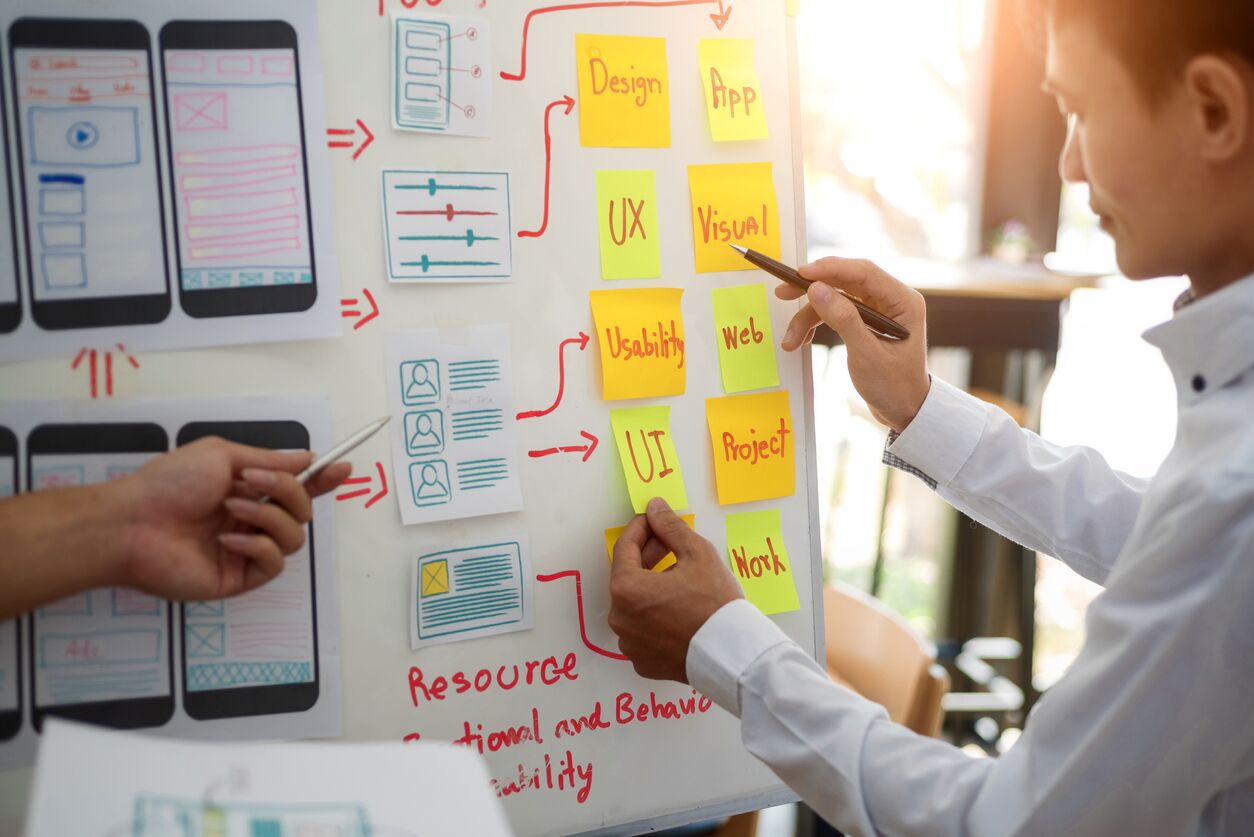
Components of UX
UX design is composed of many different parts that come together to inform product discovery. As a PM, you do not need to be an expert on any of these. You do, however, need to know what they are and be able to intelligently converse about them with your designers. Start familiarizing yourself with basic UX terms and components below.
User research
It bears repeating that gaining insights into your users' needs and desires is key to success and is the focus of product discovery. User research activities include surveys, experiments, usability testing, and user interviews. These activities are extremely valuable in gathering data and feedback and in understanding your users.
Qualitative and quantitative research
The data resulting from these user research activities is usually classified as either quantitative or qualitative. Quantitative research provides measurable, numeric data points such as click rates, page visits, email opens, or page drop-off rates. It is usually collected and analyzed using tools like Google Analytics, which you will learn more about later in this program. Qualitative research collects non-numeric data, usually text. This data could be collected face-to-face, in phone interviews, or via text-entry questions on a survey.
Both types of data are important, and you usually need both to get actionable insights that can help direct your product discovery. They are most impactful when they are used together. Quantitative data can give you a very accurate picture of what your users are doing—like dropping out of your product flow—but it won't tell you why. Qualitative research provides the why behind the behavior, especially in the form of direct user feedback.
Graphic design
Graphic design is the part of design that is concerned with visual cues and communication. Color, font, content hierarchy, and layout are all part of graphic design. It is the more static part of your product design. Graphic design focuses on making sure your product is visually on-brand and looks appealing while also signaling to the user a general sense of what your product does and how to engage with it.
Interaction design
Interaction design picks up where graphic design stops. Just as it sounds, interaction design is the design of how your users actually engage or interact with your product. It is the more dynamic part of your product design and includes things like buttons, icons, forms, and drop-down menus.
How much room do users have to interact with your product on their phone, tablet, or desktop? What reactions do they expect from the elements on the page? How long do those reactions take? These are all questions related to interaction design.
One way to think about it is—your users have a conversation with your product, and a great product actively engages with your users in a positive way. This is interaction design. You can see how this back-and-forth between your product and your users would have a big impact on their experience.
Usability
Both graphic design and interactive design contribute to the usability of your product—that is, how easy or difficult it is for people to accomplish their goals with your product. Good graphic design gives your users visual cues about how to use your product. It helps them understand what to do first and where to go next. Interaction design helps your users actually use your product (such as selecting an item, viewing more details, adding to a cart, previewing a cart, and completing a purchase). However, graphic design and interactive design, by themselves, do not make your product usable. Your product may be functional without being very usable. Usability wraps up graphic and interaction design into a shippable package—a product ready to put in front of users.
To better understand this concept, compare the following two designs.
- When browsing products, each product preview is on a separate page. To view details or add the product to your cart, you have to click into the product. Once you've added a product (or products) to your cart, there is no way to view what is in your cart, except to click into the cart, which loads in a new page. If you opt to buy, there is no way to edit your cart in the checkout flow, except to navigate back to the cart, edit it, and start the checkout flow over again.
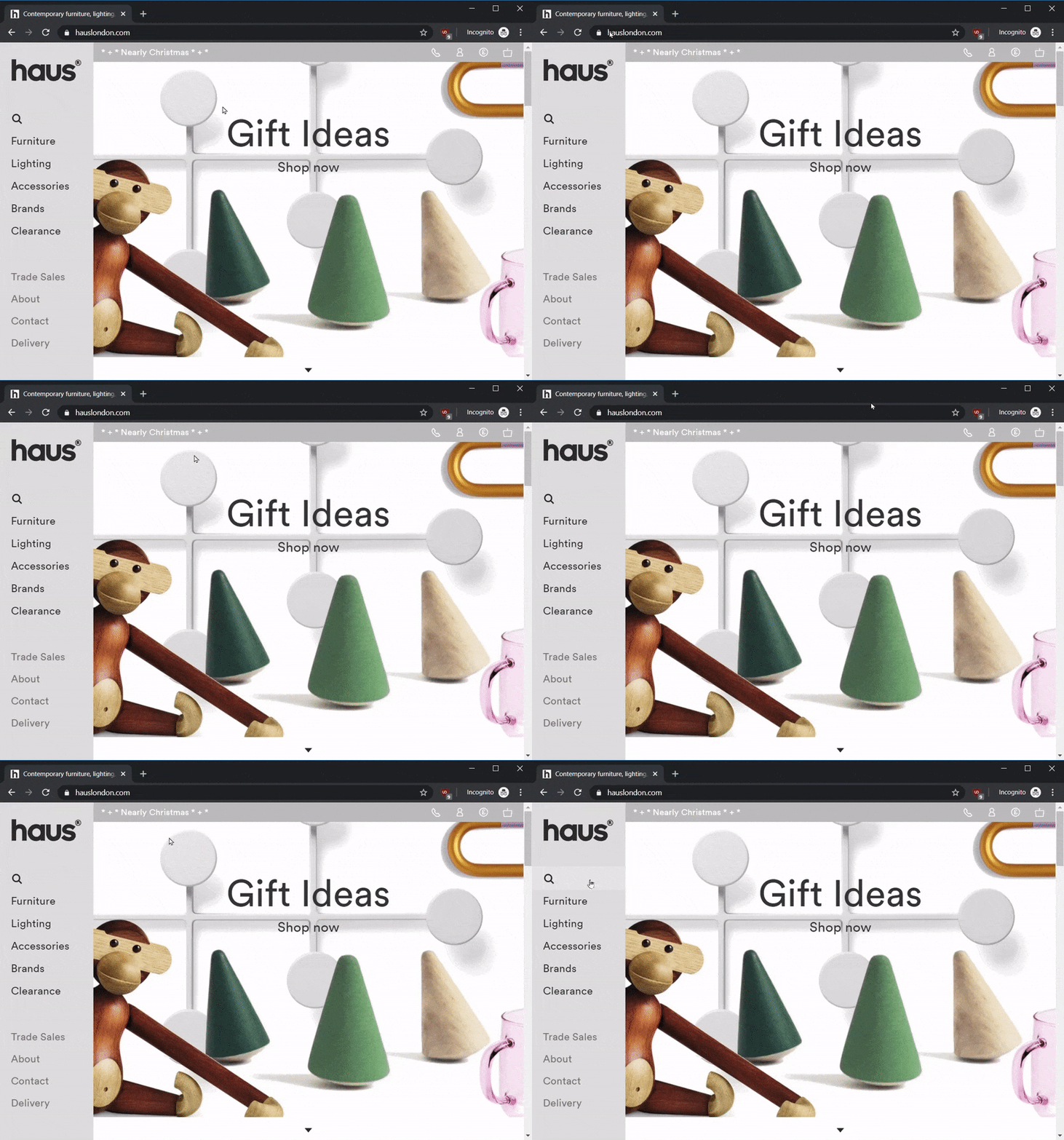
- When browsing products, the user can opt to view 10, 20, or 30 product previews per page. Hovering over a preview or clicking a quick-view option opens product details in the same page. These can be easily exited to pick browsing back up right in the same spot. Any option selections (such as color, size, or number) can be specified both in the preview and the quick-view of each product. And a product can be added to the cart from either view. Users can click the cart for a same-page, drop-down preview of what is in their cart. They can also edit the cart from this preview. If they opt to check out, they can edit their cart at various points in the checkout flow, ensuring that their purchase includes exactly what they want.
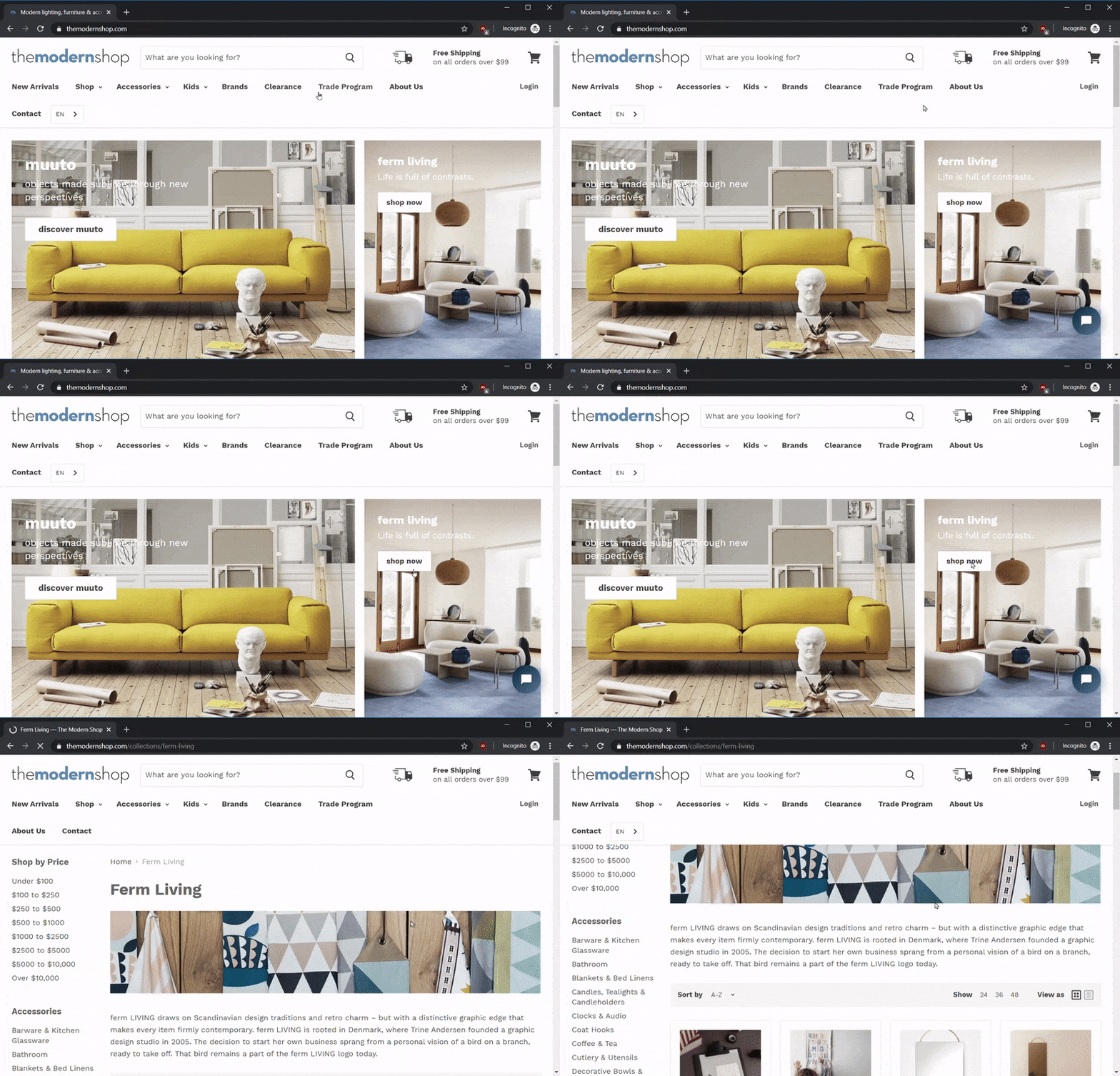
Which of these two e-commerce products is more usable? They both work, but one provides a significantly better experience to use. This is where graphic design, interactive design, and usability come together to create a whole user experience.
In product discovery, we are essentially trying to understand the experience that our users want, need, and expect. Then we leverage good design principles, user research in both quantitative and qualitative methods, graphic design, and interactive design to create the flows that will deliver an optimal experience to our users.

UX teams
Thankfully, we don't have to do all of this design work alone. Generally speaking, product managers will have a UX team to work with, even in smaller companies. UX teams come in many shapes and sizes. A full UX team may include some mixture of the following.
Researcher(s)
Researchers review the qualitative and quantitative data to summarize the findings and provide readouts of the what and why of user behavior. They also design research studies both to explore new potential products or features and to validate existing products and features. Additionally, researchers can identify opportunities to capture additional data or identify gaps in data collection.
Visual designer(s)
This is often the title used for the graphic designer in the digital product space. The visual designer will ensure that color, layout, font hierarchy, and visual elements all align to design standards and the brand's style. Creating mockups, graphic elements, and style sheets are all part of the visual designer's job.
User interaction (UI) designer(s)
Your UI design team will be responsible for producing interaction models, designing wireframes, and creating interactive prototypes. The artifacts created by the UI designers are frequently used in user testing.
Content strategist(s) and copywriter(s)
Content strategists are responsible for establishing the tone and voice of your content. Copywriters, on the other hand, draft the content for your product according to that strategy.
Typical UX process
Your UX team supports you as a product manager in designing research studies, reviewing and summarizing data and findings, and building working prototypes for user testing. They also draft the final design specifications (specs) for your development team to build.
Click the slide show below to see what this process looks like in action:
We've already covered some UX tools!
As you may have noticed, some of the tools you are now learning about in the context of UX have already been mentioned elsewhere in this course. You've already practiced some of these skills, like recruiting users and conducting user interviews, to get the best, most actionable insights to drive your product development decisions. Creating user personas, for instance, is likely not something you will do yourself as a PM—it will be a collaboration between you and your UX team. Practicing these skills yourself is still very useful to you. When you know from experience how your team members do their job, you can more effectively support them in doing it.